CreateStunningThumbnailsinSecondswithAI
Upload a photo, place bold text behind the main subject, then fine‑tune fonts, colors, effects and templates to craft scroll‑stopping thumbnails.
Get Started for FreeHow It Works
Upload Your Image
Start by uploading your photo. We prep it for clean, pro results.
Add & Style Text
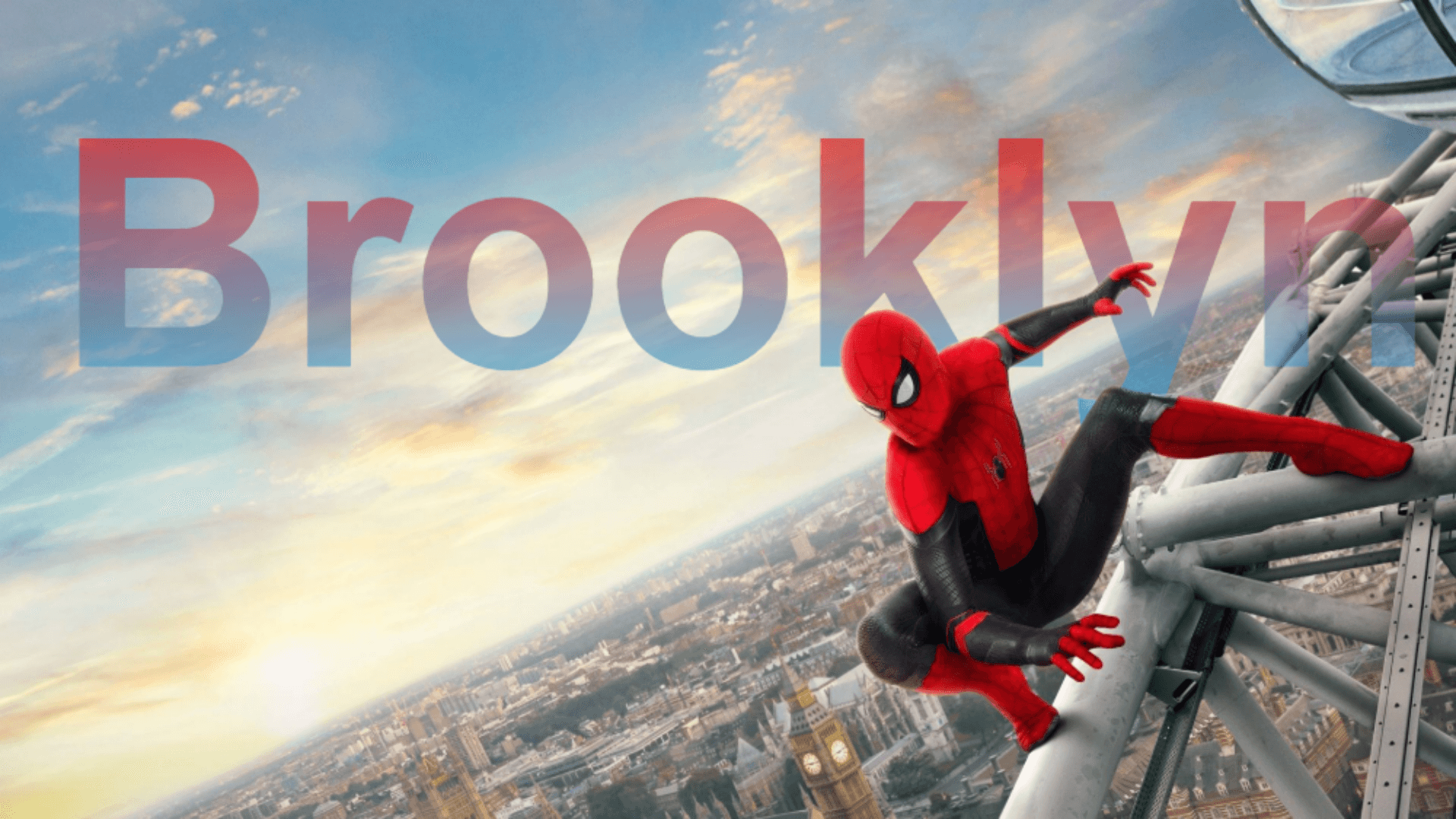
Place text behind the main subject, drag to position, tweak fonts, colors, outlines, shadows and gradients.
Download & Share
Export your finished thumbnail with filters applied and share anywhere.
Features
Infinite Styles, One Click
From minimal to cinematic, generate the perfect thumbnail for your content.
.png&w=3840&q=75)

What Our Users Say
"ThumbnailAI made my YouTube workflow so much faster! The text-behind-subject effect is magic."
Alex J."I love the templates and text effects. My thumbnails look so much more professional now."
Priya S."Super easy to use and the results are amazing. Highly recommend for any content creator!"
Chris M.Pricing
- 3 free credits
- Basic templates
- Standard filters
- 50 credits
- All templates
- Advanced filters
- Priority support
- Custom credits
- Custom templates
- Dedicated support
Frequently Asked Questions
How many free credits do I get?
You get 3 free credits when you sign up. Use them to try all features!
What file formats are supported?
You can upload PNG, JPG, and JPEG files.
Do you remove backgrounds?
No. ThumbnailAI focuses on placing your text behind the main subject to achieve a premium look without full background removal.
Can I use my own fonts?
Currently, you can choose from a wide range of built-in fonts. Custom font upload is coming soon!
Is there a subscription plan?
We offer pay-as-you-go credits and custom enterprise plans. No recurring subscription required.
Boost Your Views with Better Thumbnails
Create scroll‑stopping thumbnails with subject‑aware text layering, ready‑made templates, and powerful filters. Sign up now and get free credits to try it out!
Get Started for Free